
Menus
Within Menus you can set the navigation of the website. You decide which Pages, Posts, Categories or Custom Links are visible in the menus for your visitors.
This creates a clear structure and makes it easier for visitors to find their way around on your site. You can do the following actions with menus:
- Create a menu
- Remove a menu
- Adjust a menu
- Set the location for a menu
- Add navigation items to a menu
- Drag the navigation order for the items in a menu
How to get to the Menus
- Log in on the site.
- Go to the front of the site.
- Click on Customize.
- Click on Menus.
Create a menu
In WordPress you can create one or more menus to help your visitor navigate the site.
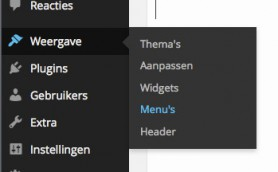

Step 1
Create a new menu item by naming it and filling it in the bar for Menu name and click create menu.
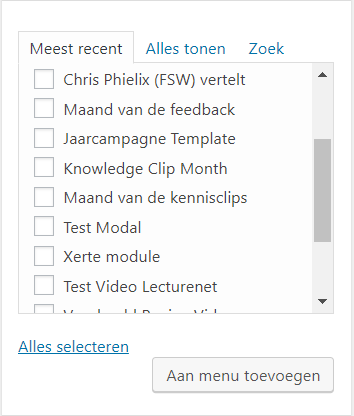
Step 2
Now you can add pages or other items, by selecting them on the left site and click the “add to menu” button below. Do you want an icon for your homepage, see this manual.
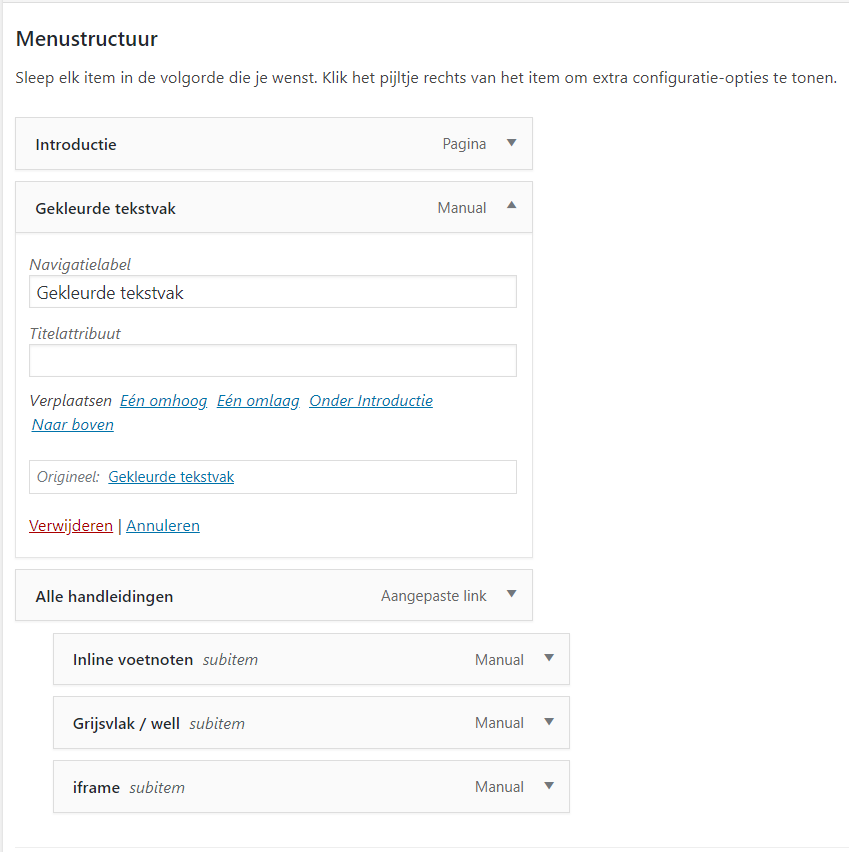
Step 3
When all the pages are set on the right side, then you can change the order by dragging them up or down. You can also change the labels by clicking and opening them.
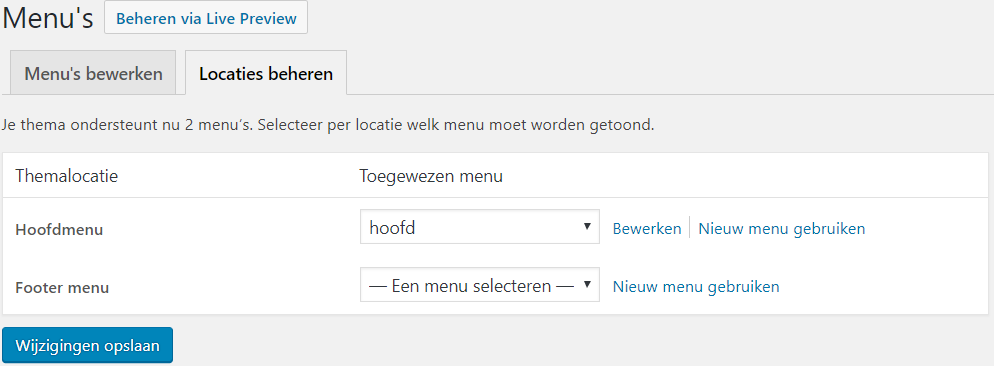
Step 4
Make sure that Main menu is selected at Theme location, so that the menu will be shown in the black bar.
Step 5
Finally, don’t forget to save the menu and check the front of the site if it shows up and is working.